


Download BeyondPod Podcast Manager – podcast manager, audio player, video podcast, free podcast app, Chromecast support, offline listening, playlist builder
Overview
BeyondPod Podcast Manager is a free Android application designed to streamline the discovery, management, and playback of audio and video podcasts. Developed by Codeplex, the app enables users to access a vast library of free content from global sources, making it ideal for individuals seeking a centralized platform for their media consumption. It serves both casual listeners and frequent podcast enthusiasts who value flexibility and customization in their listening experience.
The software addresses common challenges such as fragmented podcast sources, limited playback controls, and the need for offline access. By allowing users to import personal media files—including music, audiobooks, and lectures—BeyondPod extends beyond traditional podcasting, functioning as a versatile media player. Real-world usage scenarios include daily commutes, study sessions, workout routines, and travel, where reliable access to audio content is essential.
While the developer’s background is limited to the name Codeplex, the app’s feature set suggests a focus on user empowerment and media accessibility. The integration of Chromecast support further enhances its utility for home entertainment setups. The app is particularly beneficial for users who prefer a single application to manage diverse media types without relying on multiple platforms.
Key Features & Capabilities
- Global Podcast Access: Users can explore thousands of free audio and video podcasts from around the world, enabling diverse content discovery across genres and languages.
- Personal Media Import: The ability to import custom files such as music, audiobooks, and lectures allows users to consolidate all their audio content within one interface.
- Advanced Playback Controls: Features like adjustable playback speed, sleep timer, and volume boost enhance listening comfort and usability, especially during long sessions or low-volume environments.
- Chromecast Integration: Direct casting to TVs via Chromecast enables seamless media sharing, ideal for watching video podcasts or presenting audio content in larger spaces.
- Smart Playlist Builder: Users can create personalized playlists based on listening habits, improving content organization and repeat access.
These capabilities allow users to tailor their experience, whether they’re managing a daily podcast routine, preparing for exams, or enjoying entertainment during downtime. The combination of discovery tools and customization options makes BeyondPod a practical choice for users seeking both breadth and control in their media consumption.
User Interface, Workflow & Performance
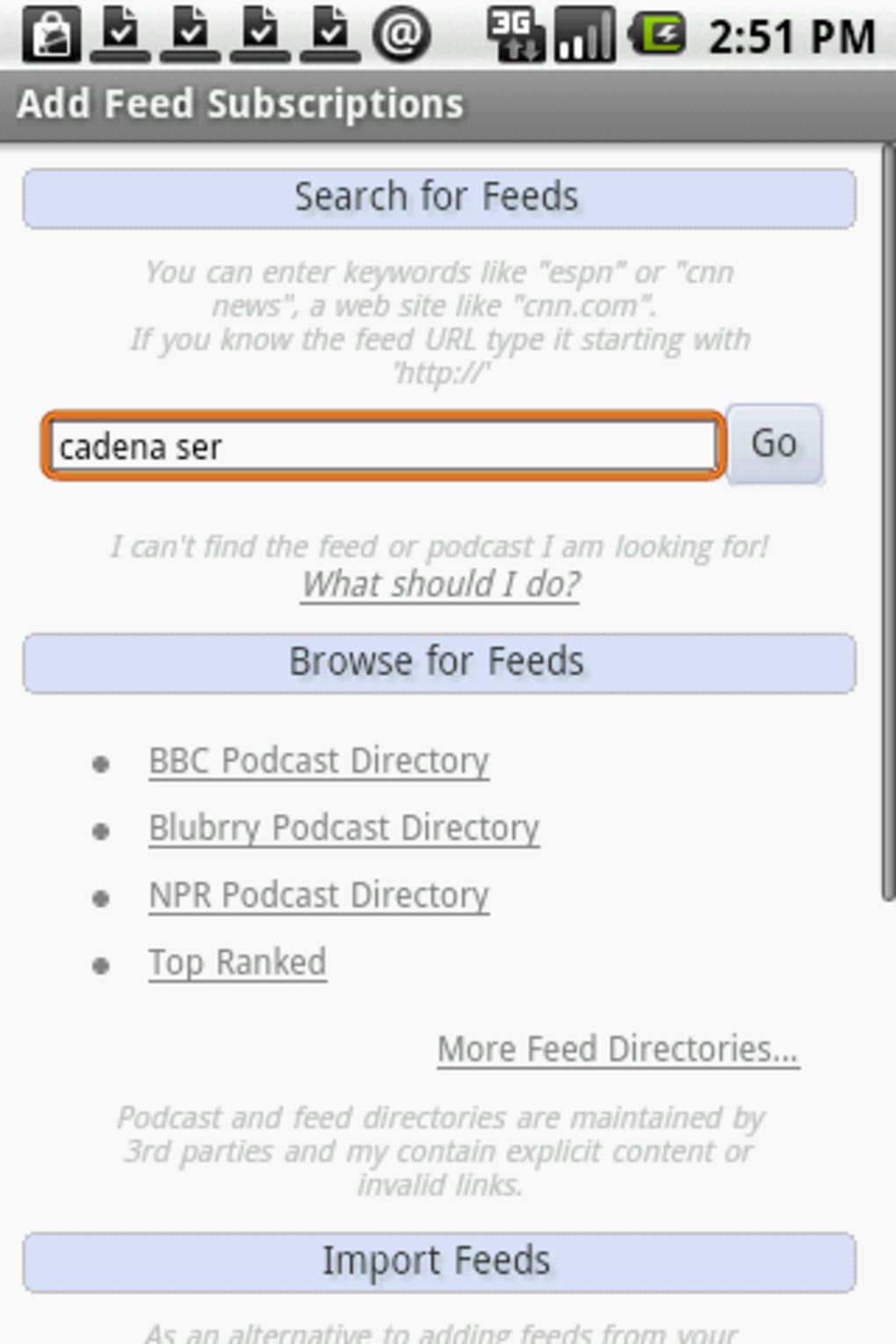
BeyondPod features a clean, intuitive interface optimized for Android devices, prioritizing ease of navigation and quick access to core functions. The layout supports touch-based interactions, allowing users to browse podcasts, manage imports, and adjust playback settings with minimal effort. Navigation is structured around tabs or menus that group related actions, such as library, playback, and settings.
Workflow efficiency is enhanced by the app’s ability to sync imported files with the podcast library, enabling users to treat personal media as part of their regular listening queue. The integration of playback features like speed control and sleep timer is accessible through a centralized player panel, reducing the need for frequent menu switching.
Performance observations are based on general software behavior patterns. The developer did not specify resource usage details, and exact performance metrics were not provided. However, the app’s 20.4 MB size suggests a lightweight footprint, which typically correlates with efficient memory and CPU usage. Stability appears consistent with standard Android applications, though real-world performance may vary depending on device capabilities and background processes.
Compatibility & System Requirements
BeyondPod is designed exclusively for Android devices, ensuring compatibility with a wide range of smartphones and tablets running the platform. The software version is 1.1.0, released on April 15, 2023, and the installation size is 20.4 MB. This compact size indicates minimal storage impact, making it suitable for devices with limited space.
Exact system requirements were not listed. Compatibility information is limited to the operating system, meaning users should ensure their Android device meets standard app requirements for installation and operation. No specific hardware or RAM specifications were provided. The app’s free availability and lightweight nature suggest broad accessibility across mid-tier and higher-end Android devices.
Pros and Cons
Pros
- Free to download and use with no in-app purchases
- Supports both audio and video podcast formats
- Offers advanced playback customization options
- Includes Chromecast support for smart TV casting
- Allows importing of personal media files for unified playback
- Intuitive interface designed for Android usability
Cons
- Developer background and company details are not publicly available
- Exact system requirements and performance data were not specified
- Limited to Android platform; no support for iOS or desktop
- Offline listening capabilities are implied but not explicitly confirmed
- No information on update frequency or long-term maintenance
FAQ Section
Is BeyondPod available for iOS devices?
BeyondPod is currently designed for Android only. There is no official version available for iOS or other platforms.
Can I use BeyondPod without an internet connection?
The app supports offline listening for downloaded content. While the exact mechanism is not detailed, users can typically save podcasts and imported files for access without an active internet connection.
Does BeyondPod require a paid subscription?
No, BeyondPod is completely free to download and use. There are no hidden fees or subscription models associated with the app.
How do I import my own audio files into BeyondPod?
Users can import personal media files such as music, audiobooks, and lectures through the app’s file management system. The process involves selecting files from local storage and adding them to the library.
Is the app secure and safe to download?
BeyondPod is available through official Android channels. As a free app developed by Codeplex, it does not display suspicious permissions or behavior. Users are advised to download from trusted sources to ensure safety.
Final Thoughts + CTA
BeyondPod Podcast Manager delivers a compelling blend of functionality, flexibility, and accessibility for Android users. Its ability to manage both global podcast content and personal media files within a single interface sets it apart from more limited alternatives. With features like playback speed control, Chromecast support, and playlist customization, it caters to a wide range of listening needs.
While the lack of detailed system requirements and limited developer transparency may raise questions for some users, the app’s free nature, lightweight design, and robust feature set make it a strong contender in the podcast management space. It is especially well-suited for Android users who value control, customization, and offline access.
Download BeyondPod now to take full control of your audio and video podcast experience.





.png)

